


Happy Space - AI Home Design
4.813.00 Reviews
App Specs
- Version
- 1.10.0
- Updated On
- License
- Free
- Downloads
- 10,000+
- Developer
- DigiTalya Studios
- Categories
- Art & Design
- Platform
- Android
Screenshots
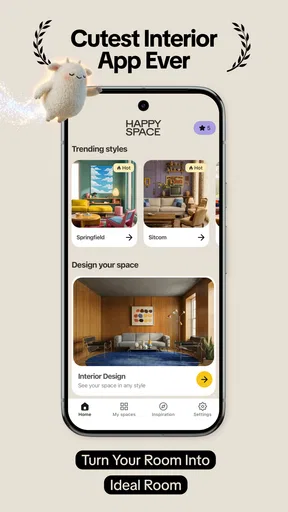
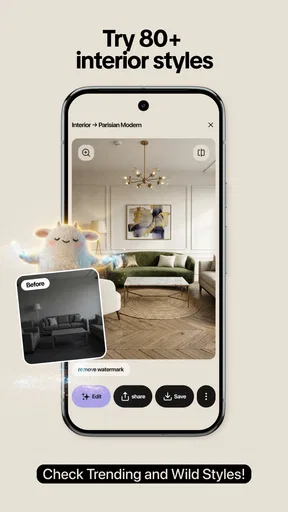
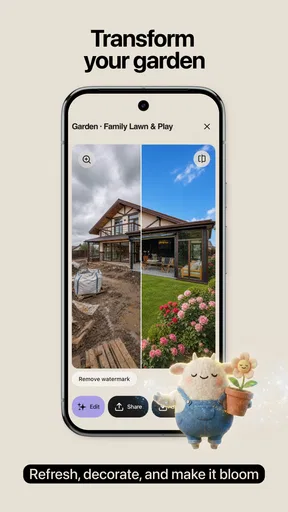
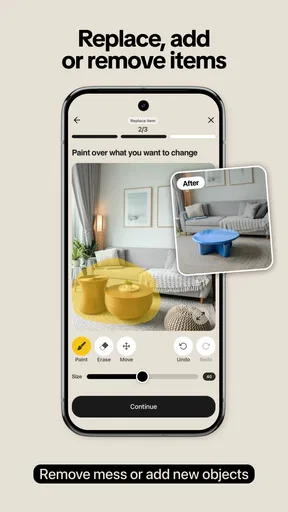
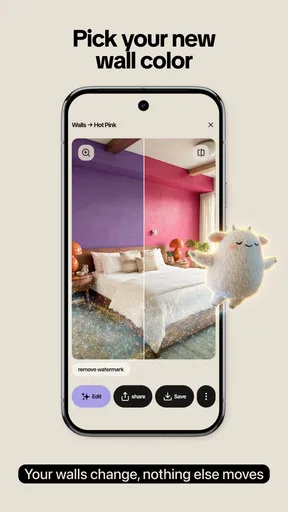
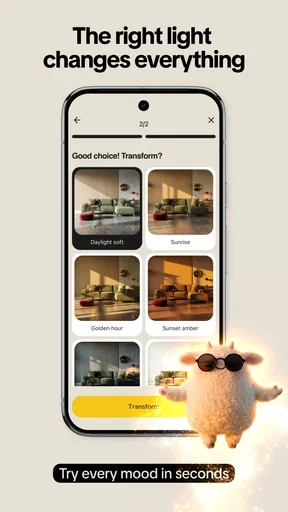
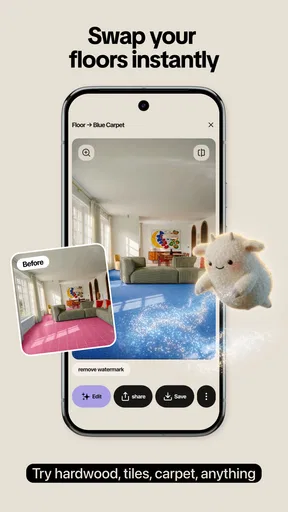
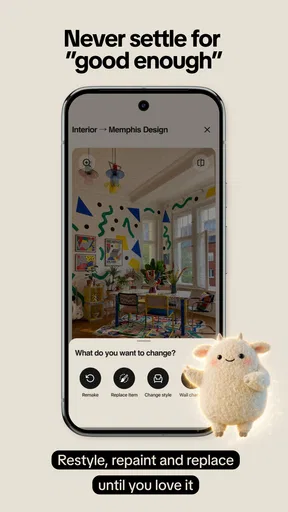
 Analysis by AppCompare
I tried Happy Space - AI Home Design as a visual planning tool for rethinking rooms, and its appeal is easy to understand: you start with a photo of an interior and explore different design directions without moving a single piece of furniture. It belongs to the Art & Design category, comes from DigiTalya Studios, and is free to install, although optional purchases range from $1.99 to $34.99 per item.
What I like most is the low-pressure way it encourages experimentation. Instead of opening a blank canvas and trying to build a room from scratch, I can use a real space as the starting point. That makes the results feel more relevant to everyday decisions, whether I am considering a warmer living room, a cleaner bedroom, or a more modern look for a small home office.
The app is currently at version 1.10.0, and its position is clear: it is a quick visual exploration tool rather than a full replacement for an interior designer, a measuring application, or a professional 3D planning suite. That distinction matters. I found it most useful when I wanted inspiration and a fast comparison between styles, not when I needed exact construction plans.
How Happy Space feels in current use
I find the current version easiest to use when everyone sharing a room photo agrees on what they want to explore: a change in style, a different lighting mood, or both. Keeping the original image and comparing a few clearly labeled directions can make the conversation more useful than passing around a stream of generated alternatives. That shared workflow also makes it worth thinking about who is choosing the photos and purchases before moving from inspiration to action.
Turning an ordinary room photo into a design starting point
The basic workflow is approachable. I choose a photo of an interior, then use the app to explore restyling ideas involving different looks and lighting moods. This photo-first approach is more practical than browsing isolated furniture images because the room’s proportions, windows, floor, and existing layout remain part of the conversation.
That also makes the quality of the starting image important. A bright, reasonably tidy photo gives the app more useful visual context. If the room is dark, heavily cluttered, or photographed from an awkward angle, I would treat the result as inspiration rather than a dependable preview. My advice is to take a straight-on image in daylight, include as much of the room as possible, and avoid using a photo where large objects hide the walls or floor.
The most useful habit I developed was saving the original image before trying several directions. I could then compare the transformed room with the real space instead of relying on memory. This is a small step, but it prevents an attractive generated result from making me forget what actually needs to change in the room.
Worth Reading Before You Choose

Flipboard Shows What News Apps Must Do Beyond the Feed

Switching to Android Auto Means Rethinking Your Driving Routine

Google Calendar Makes a Crowded Week Easier to Manage

Ludo King Makes the Most of the Minutes Between Plans

Baby Panda World Brings Quick Play to Modern Phones, but Its Game Library Feels Busy

ESPN’s Live Game View Makes Following Close Games Easier
Style exploration is the strongest part
Happy Space works best when I approach it as a mood-board companion. I can test whether a room feels better with a softer atmosphere, a more contemporary visual language, or a different balance of brightness and contrast. That is valuable before shopping, painting, or rearranging furniture.
I would not use a single generated image as proof that a particular sofa, wall color, or lamp will work in real life. The app helps me answer a broader question: “Is this direction worth exploring?” It is much less reliable for exact product matching, accurate dimensions, or confirming how materials will look under every kind of household lighting.
This distinction is especially important for renters. A renter can use the app to imagine removable changes, furniture swaps, textiles, and lighting moods without committing to permanent work. Homeowners can use it earlier in a renovation conversation, but should still verify colors, measurements, finishes, and technical requirements elsewhere.
Lighting changes the decision more than expected
The lighting element is not just decorative. In my experience, it can change the perceived size and comfort of a room more dramatically than a style label alone. A bright, cool treatment can make a space feel crisp, while a warmer treatment may make the same layout feel calmer and more inviting.
I found it useful to compare lighting ideas before judging furniture or wall colors. A design that looks impressive under a dramatic presentation may feel too dark for a kitchen or workspace. Conversely, a gentle, warm result may reveal that the room needs better task lighting rather than a complete redesign.
This is one of the app’s less obvious practical uses: it can help separate a style problem from a lighting problem. If the room still feels wrong after several style changes, the real issue may be where light enters, where it is blocked, or whether the room needs different layers of illumination.
A realistic everyday workflow
Imagine I am preparing a living room for a family gathering. I take a photo after clearing loose items from the main view, upload it, and try a few contrasting directions. One version may help me see whether lighter tones make the room feel more open; another may show whether warmer lighting makes the seating area more welcoming.
I would then use the images to make a short, realistic shopping list: perhaps one rug, a lamp, curtains, or cushion covers rather than an entirely new room. The app is most useful when it narrows choices. It becomes less useful if I treat every attractive transformation as a shopping instruction.
For this kind of scenario, I would keep the original photo, the most convincing alternative, and a written note about what changed. That makes it easier to identify which element created the improvement. Without that discipline, it is easy to copy an entire visual style when only one adjustment, such as lighting or color balance, was doing most of the work.
What the current release tells me about the product
The current version, 1.10.0, suggests a product that is being actively shaped rather than presented as a finished professional design workstation. I see the app’s evolution in its focused concept: upload a room, explore visual treatments, and use the result to guide a decision.
I would be careful not to confuse a version number with a promise of a particular future roadmap. What I can judge today is the present workflow and the way it supports quick visual thinking. Any later improvements should be evaluated by whether they make comparisons clearer, preserve room details more consistently, and reduce the gap between an attractive image and a practical plan.
For existing users, the best way to benefit from the current release is to revisit old room photos after making one real-world change. If I move a large piece of furniture or improve the lighting, I can use the new photo to see whether the design direction still makes sense. That turns the app into an ongoing visual check rather than a one-time novelty.
Who will get the most from it
I would recommend Happy Space to people who struggle to imagine interiors from descriptions or isolated product photos. It is also a good fit for someone who wants to compare several moods quickly before discussing ideas with a partner, family member, decorator, or contractor.
It should appeal to first-time decorators because the starting point is familiar: a photo of a room. You do not need to understand professional design terminology to begin. The app can also help students, content creators, and property presenters develop visual directions, provided they describe the results honestly as concepts rather than exact representations.
Its free entry makes it easy to test without an upfront purchase. The app is rated for Everyone, so its presentation is suitable for a broad audience, though adults making renovation or purchasing decisions should still apply their own judgment to the visual results.
Who should choose another tool
I would skip this app if my main requirement is precision. Someone planning built-in cabinets, electrical work, flooring quantities, or structural changes needs measurements, product specifications, and a tool designed around accurate plans. A photo transformation cannot replace those steps.
I would also look elsewhere if I needed detailed manual control over every wall, object, material, and dimension. A traditional room planner may feel slower, but it can be better when the layout itself is the central problem. Happy Space is better at suggesting a visual direction than documenting an exact implementation.
Professional designers may find it useful during early brainstorming, but probably not sufficient as their only workspace. A client presentation often needs repeatable settings, precise selections, and dependable material references. This app is more naturally suited to the conversation before those details are finalized.
Three practical techniques that improve the results
First, I recommend creating a small photo set instead of relying on one dramatic angle. A front-facing image can reveal overall balance, while a second view may show whether the proposed atmosphere makes sense around a doorway, window, or existing storage. Comparing views helps prevent a design from looking successful only from one position.
Second, I would test one variable at a time whenever possible. If I change the style and lighting together, I may not know what improved the room. Starting with a lighting comparison, then reviewing style options, makes the result easier to translate into a real action.
Third, I would judge the transformed image at thumbnail size as well as full screen. If the room’s main improvement is visible only when I inspect tiny decorative details, it may not matter much in daily use. If the overall balance still works when viewed quickly, the idea is more likely to have practical value.
A fourth useful approach is to use the app before shopping, not after. I can photograph the room, identify the visual direction I prefer, and then search for items that support that direction. This reduces impulse purchases based on attractive individual objects that may not work together.
Where the friction appears
The biggest limitation is the difference between visual plausibility and physical reality. A restyled image can make a room appear more coherent while quietly changing details that matter, such as the apparent scale of furniture, the exact tone of a surface, or the amount of usable open space.
That means I would not use an image to confirm that a large item will fit. I would measure the room separately, check doorways and circulation, and inspect real samples for paint, fabric, wood, or tile. The app can help me decide what to investigate; it should not be the final authority.
There is also a trade-off in the free model. The app costs nothing to install, but optional purchases can reach $34.99 per item. I would explore the free experience first and only pay when a particular capability clearly improves a decision I am actually making. The visual excitement of a new style is not, by itself, a reason to buy.
Another point to keep in mind is that AI-style visual tools can encourage over-editing. If I keep generating alternatives, I may end up chasing an idealized room instead of solving the original problem. Setting a limit, such as comparing three directions and choosing one to investigate, keeps the process useful.
How it compares with familiar alternatives
Compared with browsing image boards, Happy Space has the advantage of starting from my own room. Inspiration boards are excellent for collecting references, but they often show spaces with different dimensions, windows, and furniture. A transformation based on my photo gives the idea more personal context.
Compared with a manual room planner, it is quicker for atmosphere and broad style decisions. A manual planner wins when I need to test exact placement, scale, and circulation. I would use Happy Space first to decide what kind of room I want, then move to a more precise tool if the project becomes technical.
Compared with hiring a designer, the app is obviously more accessible for early exploration, especially when I am not ready to pay for professional guidance. A designer remains stronger for complicated layouts, sourcing, budget control, and decisions involving construction or long-term value.
Compared with simply taking screenshots of furniture, the app provides better context because the room remains central. Still, product pages and physical samples are more trustworthy for final purchasing. The best workflow is not to choose one method exclusively, but to let each handle the part it does well.
What existing users should watch as the app develops
For people already using it, I would watch how future versions handle consistency from one image to another. The most valuable progress would be preserving important room features while making style and lighting changes feel intentional. That would make comparisons more dependable for real planning.
I would also pay attention to whether the workflow becomes easier to control without losing its quick, approachable character. More options can be helpful, but too many controls could turn a simple inspiration app into a complicated editor. The current appeal comes from getting to a useful visual idea quickly.
Another meaningful area is the boundary between inspiration and action. Features that help users retain the original layout, compare alternatives, or organize a shortlist would add more practical value than simply producing increasingly dramatic images. For me, the best evolution would make the app better at supporting decisions, not just generating spectacle.
My final recommendation
Happy Space - AI Home Design is a convincing choice for visual experimentation. I enjoyed using it when I needed to turn a vague feeling—“this room should feel calmer” or “the space needs a fresher look”—into something I could see and discuss. Its strongest contribution is speed: it helps me explore a room’s possible direction before I spend time or money changing it.
I would recommend it to renters, homeowners, beginners, and anyone who wants a quick second opinion on an interior. I would not recommend relying on it for measurements, construction decisions, or exact product selection. Those tasks need more specialized tools and real-world checks.
With an average rating of 4.8 from around 160 ratings and more than 10 thousand installs, it has attracted a positive early audience, while its 13 written reviews suggest that the broader user picture is still developing. I see it as a promising, focused Art & Design app rather than a complete design system.
My bottom line: use it to discover a direction, compare the mood of your own room, and create a sensible shortlist of changes. Then step outside the app to measure, sample, budget, and confirm. Used that way, Happy Space - AI Home Design earns its place as a practical first step in home design, especially for people who need to see an idea before they can decide whether it is worth pursuing.
Pros
- Generates multiple room concepts quickly from a single photo.
- Offers style variations for different tastes and design goals.
- Useful for visualizing renovations before buying furniture or materials.
- Simple interface makes experimentation accessible to non-designers.
- Can provide inspiration when you are unsure how to decorate a space.
Cons
- AI results may alter room proportions or remove important architectural details.
- Some features and designs may require credits or a paid subscription.
- Generated furniture layouts may not reflect real-world measurements.
- Results can look repetitive when using similar prompts or room photos.
- Uploading interior photos may raise privacy concerns for some users.
FAQs for Happy Space - AI Home Design
What is Happy Space - AI Home Design?
Happy Space - AI Home Design is an interior design app that uses artificial intelligence to transform photos of rooms into new decorating concepts. After uploading an image, you can explore different styles, color combinations, furniture arrangements, and visual themes. It is designed for people who want quick inspiration before renovating, redecorating, furnishing, or simply experimenting with the appearance of their home.
How does the AI room redesign feature work?
The process is generally straightforward: take or upload a clear photo of a room, select a preferred design style or transformation option, and let the app generate a new visual concept. Results can vary depending on lighting, image quality, room size, and how much furniture is visible. The generated image should be treated as inspiration rather than an exact architectural plan or guaranteed representation of available products.
Is Happy Space - AI Home Design free to use?
The app may offer free access to selected features, previews, or a limited number of AI-generated designs, while more advanced tools, additional styles, faster processing, or unlimited generations can require in-app purchases or a subscription. Before starting a trial, carefully review the pricing, renewal terms, and cancellation instructions shown in the app store, especially if payment details are requested.
Can the app create designs for every type of room and decorating style?
Happy Space - AI Home Design can be useful for common spaces such as bedrooms, living rooms, kitchens, offices, and dining areas, depending on the available modes in the current version. Its style selection may include modern, minimalist, Scandinavian, traditional, luxury, or other popular themes. However, unusual layouts, very small rooms, cluttered photos, and highly specific design requirements may produce less accurate results.
Should I rely on the app before buying furniture or renovating?
The app is best used as a visual planning and inspiration tool, not as a replacement for professional interior design, construction, or measurement advice. AI images may change room proportions, ignore structural limitations, or show furniture that does not fit your actual space. Always verify dimensions, materials, lighting, electrical requirements, and product availability independently before making purchases or beginning renovation work.


